|
Timestandard® 3 - Time and attendance system |
|
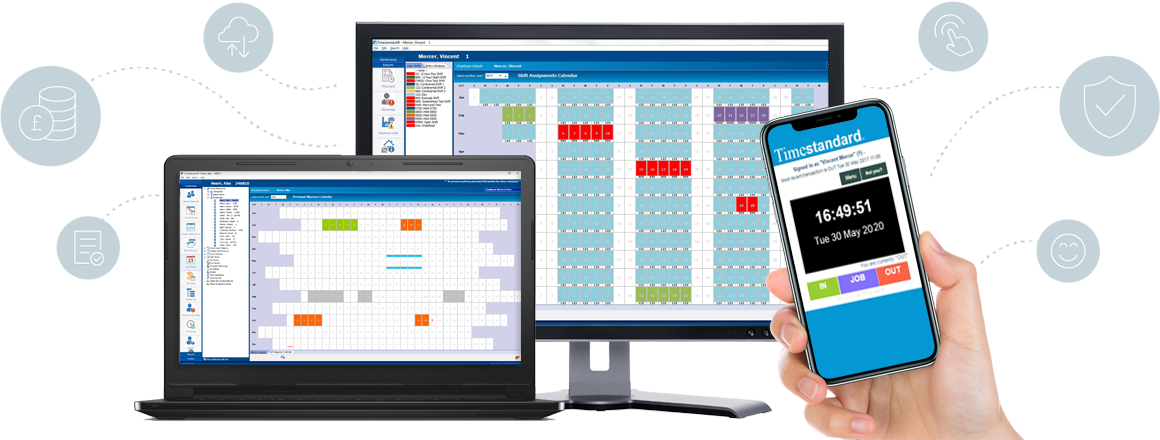
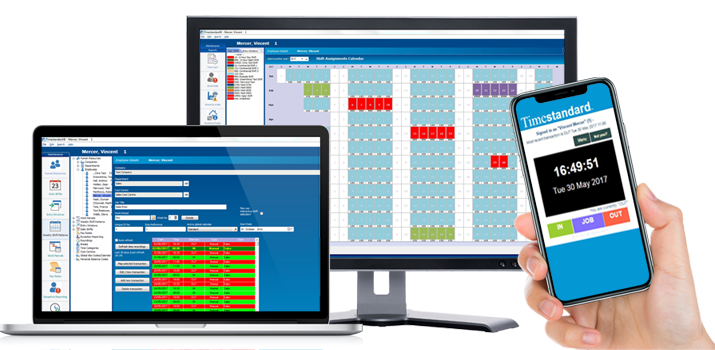
Timestandard® is the answer to your time and attendance problems, now and in the future. It incorporates ALL the known current shift mapping options, shift setup options, break options, pay-periods grace and roundings in use today, that you may not need now, but may need in the future. Timestandard® is part of a modular system of software driven components designed to help you to cope with the demands of your payroll using proven, reliable data collection methods. Timestandard® will automatically add up hours worked by employees, highlight and deduct for lateness and absenteeism. This can speed up payroll preparation and also highlight selectable exceptions such as recurring lateness or sickness. These may be used in disciplinary matters and even pay negotiations. |
All
our software
is also UK compliant ![]() and not adapted from foreign versions. |
|
![]() |
|
Features ....and many other features. |
|
|
| Overtime Options Qualify & Restrict overtime |
|
General
|
|
Time Systems® (UK) Ltd has developed the Timestandard® system based on many years of experience and has been designed specifically because no two business' have the same working rules and their rules change as they evolve. Moreover, your working patterns and rules may change tomorrow and would you really want to change your time recording system because your current system could not cope with them? Timestandard® has evolved as a result of the detailed examination of requirements like yours. Our systems are flexible enough to cope with hundreds of shift policies and parameters of the most demanding environment because most of the key identifiers used are user defined. Timestandard® can apply the most difficult of shift parameters and makes the calculation of time cards in seconds instead of days. Time spent producing and calculating time cards will be reduced dramatically so it will also save you valuable overhead expense. As employee remuneration is by far your greatest overhead Timestandard® will help you keep that vital control that you would expect from systems costing many times more. It will also store that information for as long as you want - and is instantly accessible so you can call up data on attendance, sickness, holidays and lateness reports at any time to monitor performance and highlight trends. The most important point is that whilst some companies will supply you with a product that will handle your current requirements for today - it may become obsolete the moment you enforce a new pay scheme or innocently change your shifts or patterns. Timestandard® has be written to hopefully handle your changes so it cope as you evolve or grow. |
|
Reports
|
| Time Card Report | Other Category reporting |
| Who is IN now Report | In/Out Punch/Swipe Report |
| Lateness reporting (category) | Weekly Shift Pattern Reports |
| Sickness reporting (category) | Entry Window Mapping Reports |
| Absence reporting (category) | Departmental Single-line Hours Report |
| Period Hours Summary report | Automatic Deduction Reports |
| Daily Hours Report | Clock Reports |
| Time Transaction Report | Working Time Statistics |
|
Reporting made be sorted by company, department, employee name, number etc |
|
Sample
Time Card Report
|
| If you follow the clockings below against the setup above you will generate the results of this time card. Please note, this time card can have upto 9 different overtime rates. |
|
Lateness
- Options
|
|
If an employee
arrives late you may wish to report lateness in red or bold black for
the time card and appear on lateness reports. Timestandard® supports lateness for every minute of the day and can round forward lateness (deduct time) accordingly.(See roundings below) I.e. Any employee who clocks in later than 08.03 - report this on their timecard in red ink to make them aware and also make this clocking appear on lateness reports. |
|
Rounding
and Grace - Options
|
|
General Lateness I.e. If an employee clocks out at 17.29 his time will be rounded back to 17.00 but if he works to 17.30 he will be accumulated that 30 minutes overtime. |
|
Overtime
- Ways to calculate
|
| Timestandard® calculates overtime in up to 9 (nine) different rates calculated by any or combination of the following |
|
Time
band - When employees are paid at different rates by the time of day
they work
|
|
By
the shift - When employees get different pay by the shift they are working
|
|
By
the day - By the hours worked that day or extra hours worked
|
|
Pay
period - By the number of hours in the pay period or extra hours worked
|
|
-
any or all of the above combinations can be used.
|
|
Qualifying
and restricting overtime
|
|
You can restrict the amount of overtime an employee may accumulate and qualify overtime worked subject to varying criteria in cases where it is applicable. Restrict by Timeband - by turning off overtime pay at any time Putting excess overtime into another pay rate (i.e. Normal pay rate) i.e. If normal rate is less than 40 hours and overtime rate 9 (your special midnight shift overtime for working after 5.00pm) has a balance of say 25 hours - and the employee is not entitled to that overtime unless 40 hours are worked at normal rate Timestandard® can automatically move those excess overtime hours into normal rate until it reaches 40 hours - reducing the balance of overtime rate 9 - or put the balance into overtime rate 1 (for breaking the rules) Qualify
by i.e. Pay
overtime rate 6 (qualified rate) on Saturday between 8.00 am and 12.00
pm - but only if |
|
Absence
categories
|
| Up to 999 user defined absence categories including: |
|
Paid
holiday
|
Unpaid
holiday ( but logged)
|
|
Paid
sickness
|
Unpaid
sickness ( but logged)
|
|
Paid
doctors appointment
|
Unpaid
Doctors appointment (but logged)
|
|
Paid
maternity
|
Unpaid
dentist (but logged)
|
|
Paid
jury
|
Unpaid
training
|
| Each of
these can be defined to have different hours accrued to them. I.e. Paid holiday can be half day whole day or x hours. |
|
Sample
Employee Setup
|
| If you have a shift that starts at 08.00 and finishes at 17.00. There is a one hour lunch between 12.00 and 13.00 that employees must clock for and if they do not take a whole hour the software must deduct it. They are not paid for early arrival but are paid - no matter how many hours they work - if they work past 17.00. They are allowed to be 3 minutes late. If more than three minute late their time is rounded forward to the nearest 15 minute interval. They get rounded back by 15 minutes if they do not clock out on the 15 minutes. (I.e. 17.15, 17.30 etc.) |
|
Sample
Shift Setup
|
|
|
Pay Rate | ROUNDING | REPORTING |
|
|
Unpaid
|
None
|
Normal
|
|
|
Standard
|
3
Min Grace, 15 Min Rounding
|
Normal
|
|
|
Standard
|
3
Min Grace, 15 Min Rounding
|
Print
in red. Highlight in lateness reporting
|
|
|
Unpaid
|
3
Min Grace, 15 Min Rounding
|
Normal
|
|
|
Standard
|
3
Min Grace, 15 Min Rounding
|
Normal
|
|
|
Standard
|
3
Min Grace, 15 Min Rounding
|
Print
in red. Highlight in lateness reporting
|
|
|
OT
Rate1
|
3
Min Grace, 15 Min Rounding
|
Normal
|
|
|
Unpaid
|
None
|
Normal
|
|
ISS,
posting, editing, adding, deleting employees transactions (clockings)
|
|
Timestandard® allows you to 'post' transactions and use ISS (interactive shift selection) to enable you to manipulate all data to help you get the right results first time. ISS - Ideal for situations where employees can work any shift they choose- without you knowing beforehand - they can use ISS and when they clock they select the shift they are working, by selecting it at the terminal. This gives you greater freedom to let the system maintain itself. This shift selection can be allowed or refused further in the software. Posting - this is a system that you can use to 'mark' clockings made by an employee against the shift that you have programmed for that employee. Editing - at any time after that you may return to those transactions and alter the posted shift number worked to another shift number. Ideal where employees cannot be trusted to use ISS or where you are informed too late that their shift had been changed for a particular day in a rotating shift pattern. (Changing the pattern may take 15 minutes to cope with this, amending the posting will take seconds). Always great when you are under pressure to complete payroll payments to employees. You may also edit the time, date, type of transaction, employee if they need adjusting. Adding - you can add transactions singly or in multiple to one or your selection of employees. Deleting - you can delete transactions singly or in multiple from one or your selection of employees. |
|
Hardware (Terminal) Options
|
|
|
Timestandard®
MAJOR terminal Specification
|
|
Communications
- Power-
Display Keypad |
Relays
(2) Memory
protection Operational
Battery backup Memory
size Dimensions Housing Weight |
|
|
Timestandard®
MINOR terminal Specification
|
|
Communications
- Power-
Display Keypad |
Relay Memory
protection Operational
Battery backup (option) Memory
size Dimensions
Housing
Weight
|
|
Collection
Methods - Media Used
|
|
Barcode
& Magnetic Stripe Swipe Card
|
Proximity
RFID
|
|
|
|
|
Media suitability We always recommend bar-coded media and proximity media. Almost every product we buy in the shops has bar code attached to identify it and proximity cannot be interfered with. Almost everyone every understands how it works and this has come about as from its universal existence and use in the retail industry. We believe it is reliable and sound and find users get no corruption queries unlike magnetic stripe. Magnetic stripe is also sound and reliable - but can be corrupted by those determined enough; it will show no sign of abuse and may cause operational conflict for the user and client. PIN numbers - suitable as most people can remember them and they can be easily keyed in. However you may choose from any of these combinations. If you currently use an access control or vending system that uses PROX badges, you could add bar-code to this for use in Timestandard. This would result in one card for both systems. More convenient than two cards. |
|
Pay
Periods Supported & Shift Types Supported
|
| Timestandard® software allows you to program - |
| Multiple pay periods - weekly - monthly - 2 weekly - bi-monthly or any length you require |
| Fixed shifts - where employees work the same shift every day |
| Entry window shifts - where employees can swap shifts at any time without notice |
| Rotating shift patterns - where employees rotate shifts every few days |
| Multiple shifts per day - where employees can leave and return on the same day but be on a different shift with different rules (different pay rules and overtime etc.). |
| Continental shifts - x days on x days off etc. |
| - or any combination of the above. |
|
Software
Limitations
|
| Timestandard® software does not have limitations in any of the following - |
| Number of shifts allowed |
Unlimited
|
| Timebands | Unlimited |
| Lunch deductions | Unlimited |
| Number of rotating patterns | Unlimited |
| Number of entry mappings | Unlimited |
| Number of pay periods | Unlimited |
|
Accuracy
|
| Timestandard® provides better accuracy because manual time cards have to be interpreted according to shift rules - errors are inevitable. Timestandard® also remembers to apply all those little used and sometimes forgotten rules. If you under-calculate an employees time they soon tell you. Is it the same when you over-calculate? |
|
Export/import
to Payroll - using Paystandard
|
|
Timestandard®
can create
the necessary export files from your time cards. We can also supply
the necessary import facility for up to 27 payroll packages (PAYROLL
SUPPORTED), using Paystandard
and fully automating your payroll. It
can create export files in ASCII, CSV and other formats for linking
to MS word , MS Excel, MS Access etc.
|
|
Savings
|
| If your employees work the average 250 days a year the table below shows the actual time loss, at the conservative rate of only 12 minutes a day (1 hour a week per employee) and the cost to your business. According to accepted standards we have added an equal amount to the actual time loss cost for fixed overhead. |
| Hourly Rate |
Cost
per Minute |
Number of Employees |
|||||
| 5 | 10 | 25 | 50 | 100 | 500 | ||
|
£3.35 |
£ .112 |
£1,680 |
£3,360 | £8,400 | £16,800 | £33,600 | £ 168,000 |
| 4.50 | .150 | 2,250 | 4,500 | 11,250 | 22,500 | 45,000 | 225,000 |
| 5.50 | .182 | 2,730 | 5,460 | 13,650 | 27,300 | 54,600 | 273,000 |
| 7.50 | .250 | 3,750 | 7,500 | 18,750 | 37,500 | 75,000 | 375,000 |
| 9.00 | .300 | 4,500 | 9,000 | 22,500 | 45,000 | 90,000 | 450,000 |
| 12.00 | .400 | 6,000 | 12,000 | 30,000 | 60,000 | 120,000 | 600,000 |
|
Payroll
programs we can export for
|
| Sage Payroll Version 7,8,9,10,11,12,13 | Sage Sterling for DOS, Ver 4.30 |
| Sage Payroll Professional (all versions) | Sage Sterling for DOS, Ver 4.70 |
| Sage Line 100 (DOS and Windows) | Sage Sterling for DOS, Ver 4.80 |
| Brandt Winpay | Sage Sterling for DOS, Ver 5.00 |
| Sage Sterling for Windows Ver 2.10 | Sage Sterling for DOS, Ver 5.10 |
| Sage Sterling for Windows Ver 2.20 | Sage Sterling for DOS, Ver 5.20 |
| Sage Sterling for Windows Ver 2.30 | Sage Sterling for DOS, Ver 9.00 |
| Sage Sterling for Windows Ver 4.00 | Sage Sterling for DOS, Ver 9.02 |
| Sage Sterling for Windows Ver 5.00 |
Intex Earnie 16 |
| Sage Sterling for Windows Ver 5.02 | Intex Earnie 32 |
| Sage Sterling for Windows Ver 5.03 | Intex Earnie Classic |
| Pegasus Opera for DOS and Windows | Pastel Payroll 1.00 for Windows |
| Pegasus Senior | Dbspay2 for Windows |
| PAYE-Master Ver 3.50 for Windows |
|
Platforms
Supported (Which PC's it will run on)
|
|
Timestandard®
will operate on the following operating systems - Windows 95, 98, 2000,
NT, ME and XP.
|
Entry
level Swipe Card Systems • Biometric Time Recording Section • Electronic Time Recorders and Timestamps •
Computerised Time Recording • Job/labour Tracking • Flexitime
recording • Data Collection Systems •
Access Control • Mechanical Time Recorders • Calculating
time recorders •Battery Operated Time Recorders •
Watchmans Clocks • Masterclocks
and Wall Clocks • Time
(Clock) Cards and other accessories • Site
map
Client server time and attendance • Software Support • Payroll Link Software •
Repairs
• Privacy statement •
Time Systems ®, Timestandard ®, Jobstandard ® and Acroprint ® are registered trade marks of Time Systems ® (UK) Ltd.
Paystandard is trademarked by Time Systems ® (UK) Ltd.
Privacy & Legal Statement. Website comments to the Webmaster
All
contents copyright � 2003 - 2008 Time Systems� (UK) Ltd. All
rights reserved.
No part of this website's content or images may be reproduced without prior
written consent of Time Systems� (UK) Ltd.